Send alert "Smoke!!🔥" via mail✉ using IoT and IFTTT

Welcome to my world of Internet of Things and Cloud Computing. I received my bachelor's degree in the discipline of Internet of Things. I also write technical articles. I am now pursuing a Masters degree in Cloud Computing. I am an Amazon Web Services Certified Cloud Practitioner.
In this blog article, I will show you how to do something useful with IoT and IFTTT. And I'll show you how to detect smoke in your home, workplace, or other working environment using sensors and the IFTTT platform. I plan to utilize a virtual circuit (TinkerCad circuit) that includes a Smoke Sensor, an ESP8266 module, an Arduino UNO, and a Piezo buzzer. Let's start with the specifics.
- Smoke Sensor (MQ2): MQ2 is a popular smoke sensor in the MQ sensor family. The MQ2 smoke Sensor operates on 5V DC. It is excellent for detecting gas leaks (in home and industry). It can detect LPG, methane, alcohol, hydrogen, and smoke, among other things. It is also known as Gas sensor.
- ESP8266: The ESP8266 is a System on a Chip (SoC). It is a WiFi module. The ESP8266 is an extremely user-friendly and low-cost gadget for providing internet access to your projects.
- Arduino UNO: It is the micro-controller with 28 pins. All the modules will connected to this micro-controller.
- Piezo buzzer: In its most basic form, a piezo buzzer is a sort of electrical device that emits a tone, alert, or sound. It has two terminals, one negative and one positive.
Lets create a virtual circuit on TinkerCad-
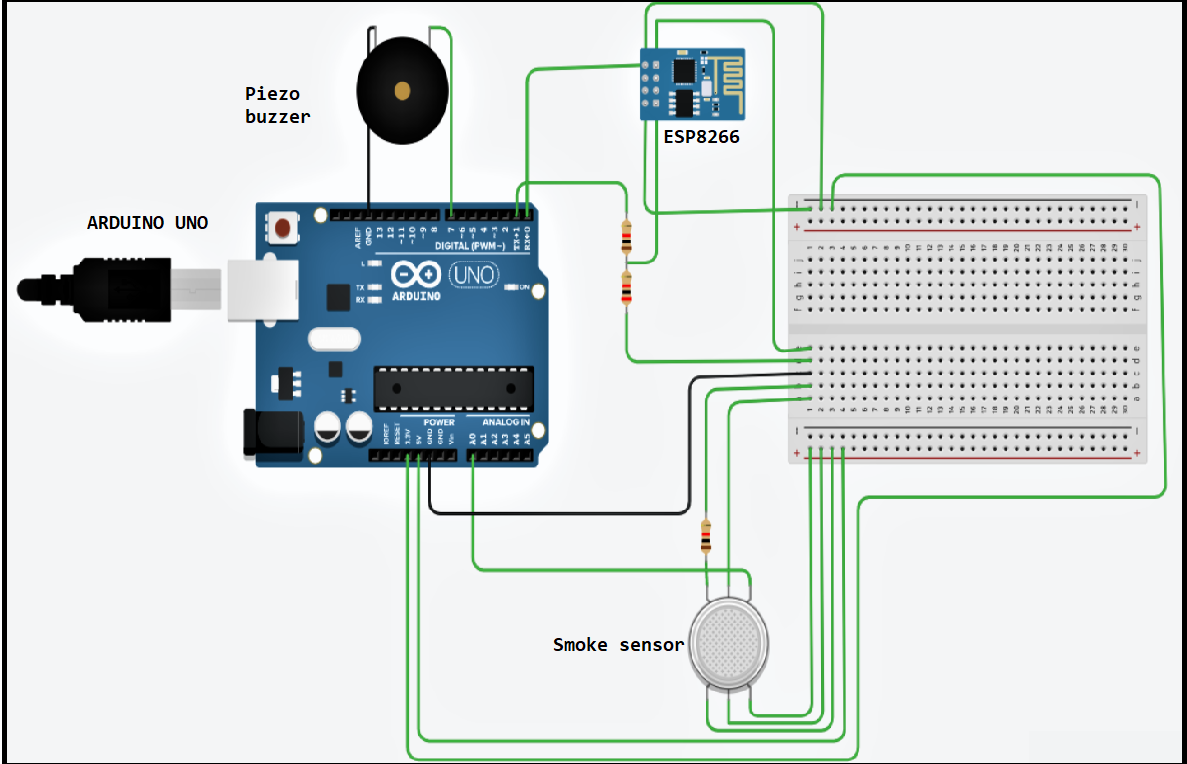 Here is the code for this circuit - [Replace write API key with your channel's API key]
int val = 0;
void setup()
{
  Serial.begin(115200);
  delay(100);
  Serial.println("AT+CWJAP=\"Simulator Wifi\",\"\"\r\n");
  delay(3000);
  pinMode(7,OUTPUT);
  pinMode (A0, INPUT);
}

void loop()
{
  val = analogRead (A0);
  Serial.println (val);
  delay(1000); // Wait for 1000 millisecond(s)

  Serial.println("AT+CIPSTART=\"TCP\",\"api.thingspeak.com\",80\r\n");
  delay(3000);
  int len = 60;
  Serial.print("AT+CIPSEND=");
  Serial.println(len);
  delay(1000);
  Serial.print ("GET /update?api_key=INO7SZ58XVOAZJYP&field1=");
  Serial.print (val);
  Serial.println (" HTTP/1.1\z\n");
  delay(1000);
  if (val > 80){
    tone(7,1000);
  }
  Serial.println("AT+CIPCLOSE=0\r\n");
  delay(10000);// Thingspeak free account
}
Now comes the role of IFTTT. The term IFTTT is derived from the programming conditional expression "if this, then that" The company offers a software platform that integrates applications, devices, and services from various developers to trigger one or more automations involving those applications, devices, and services.
Sign in to IFTTT account. You can create only 3 applets using IFTTT.
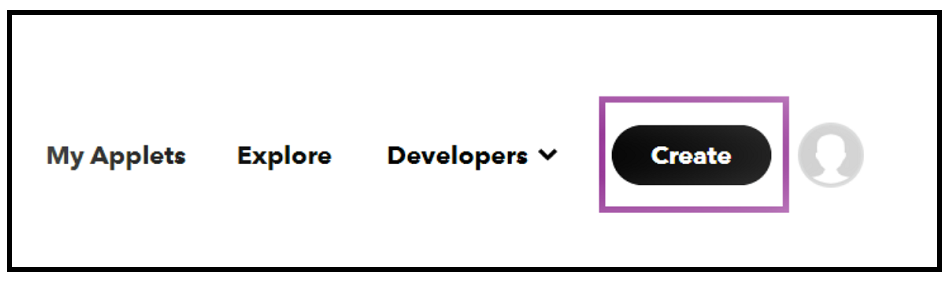
1) Click on Create.
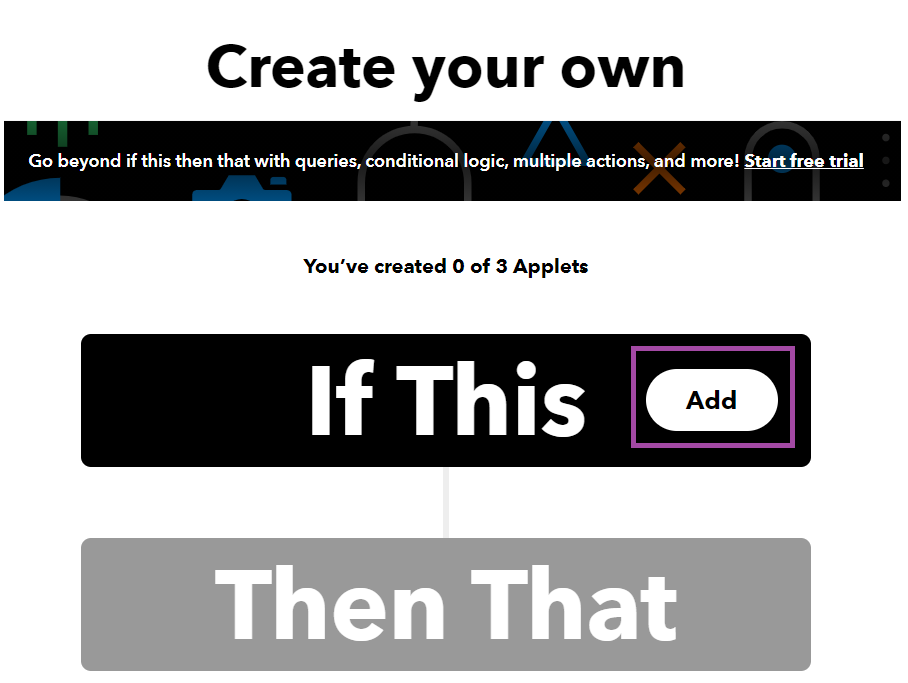
 2) Click on "Add" within "If this".
 3) Search for "Webhooks".
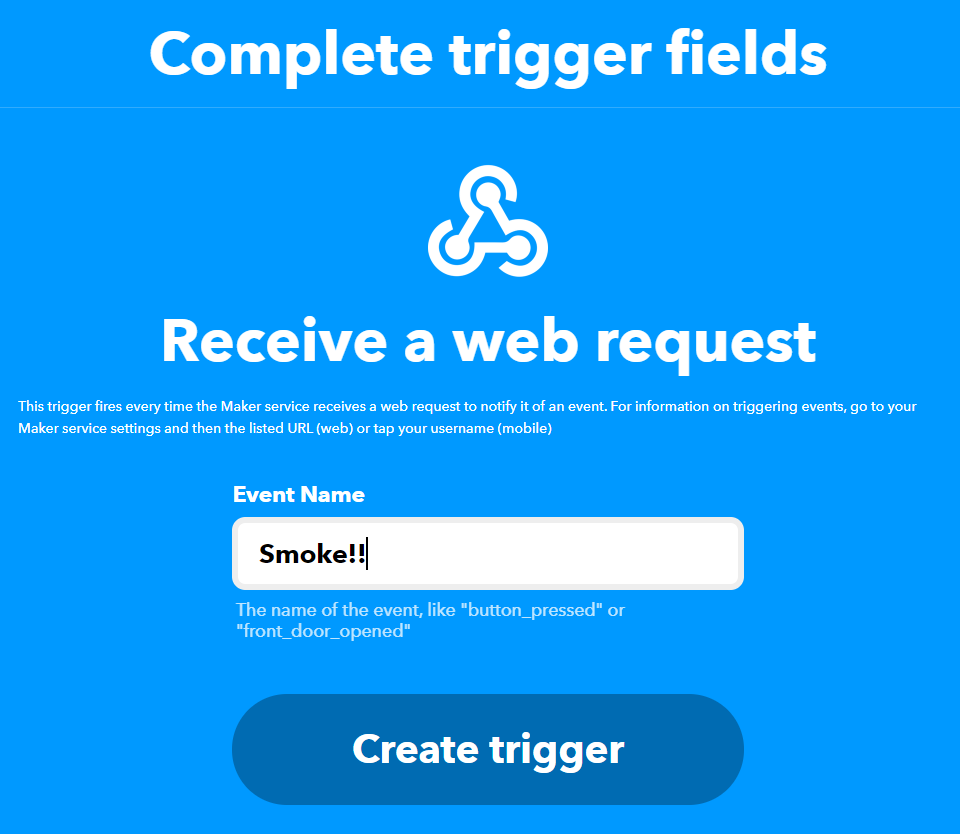
 4) Enter event name.
 5) Click on "Add" within "Then that".
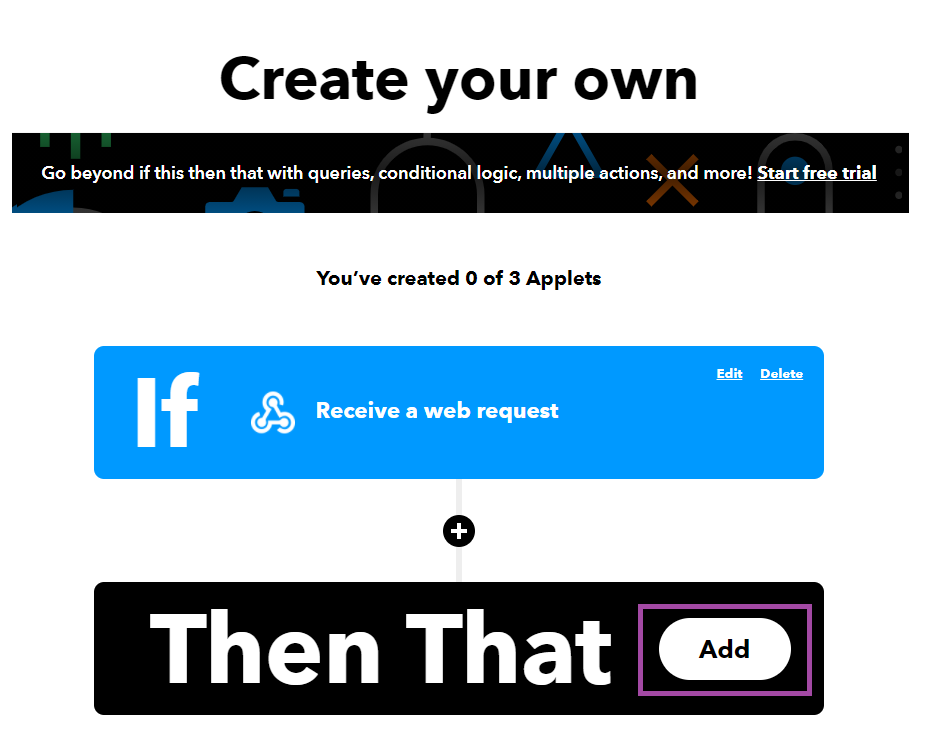 6) Search for "email".
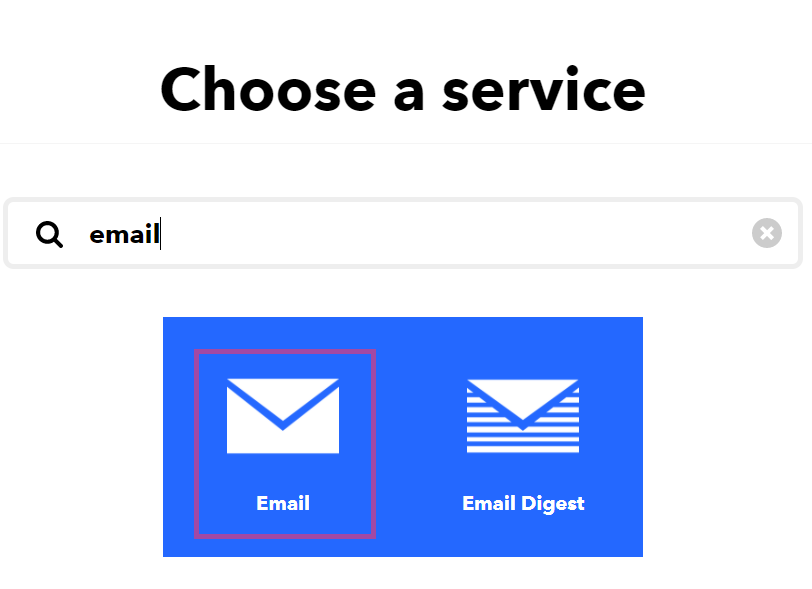 7) Enter your gmail and confirm and create action and continue the steps.
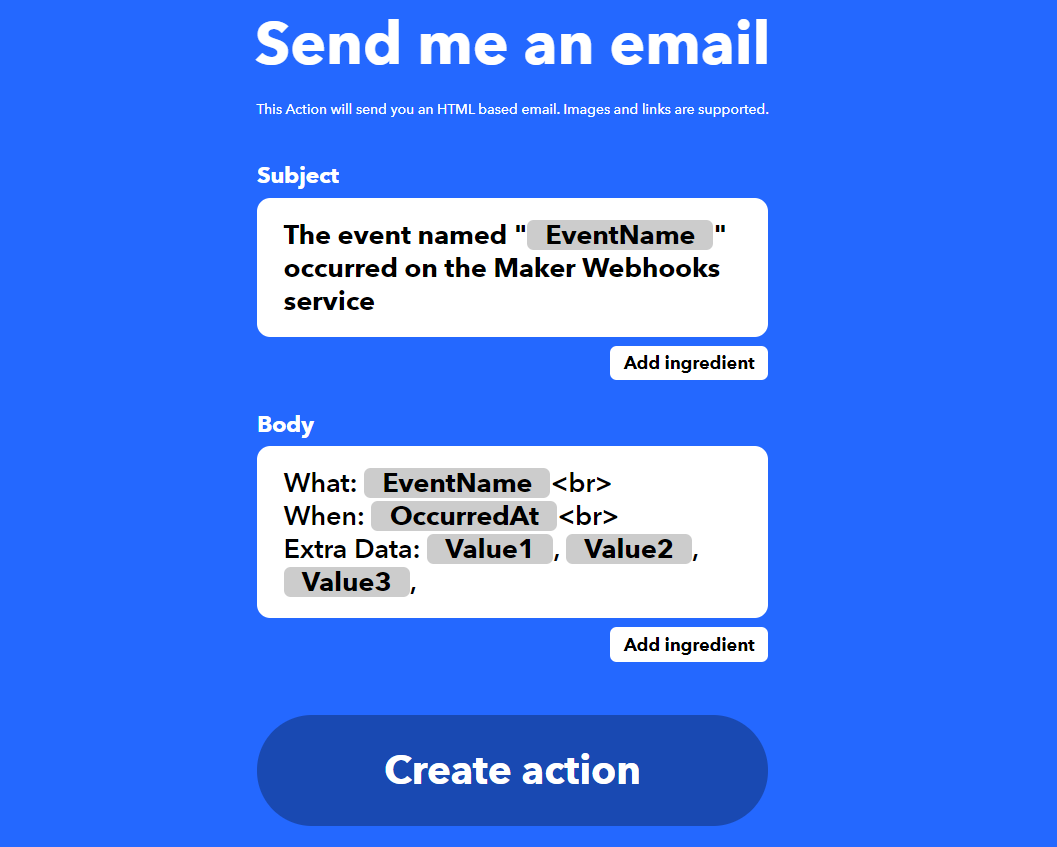 9) Click on Finish.
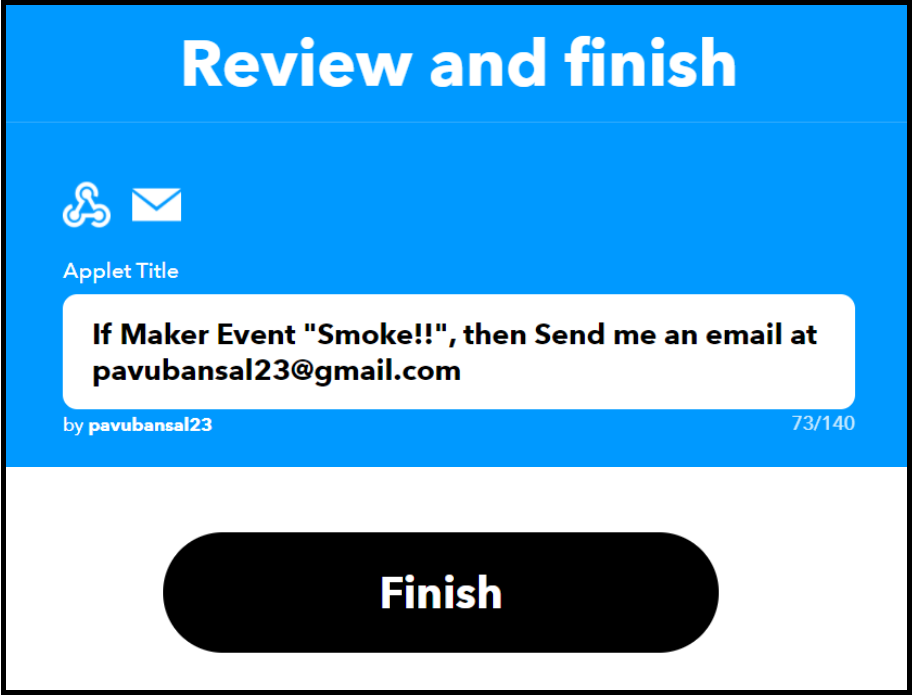 { Copy the trigger event key as it will be used in URL while making ThingHTTP }
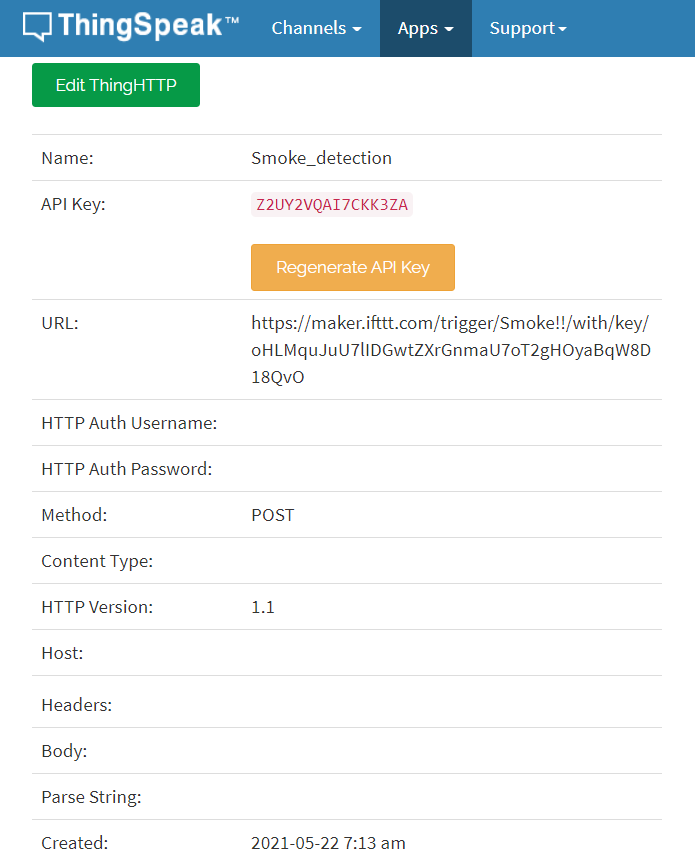
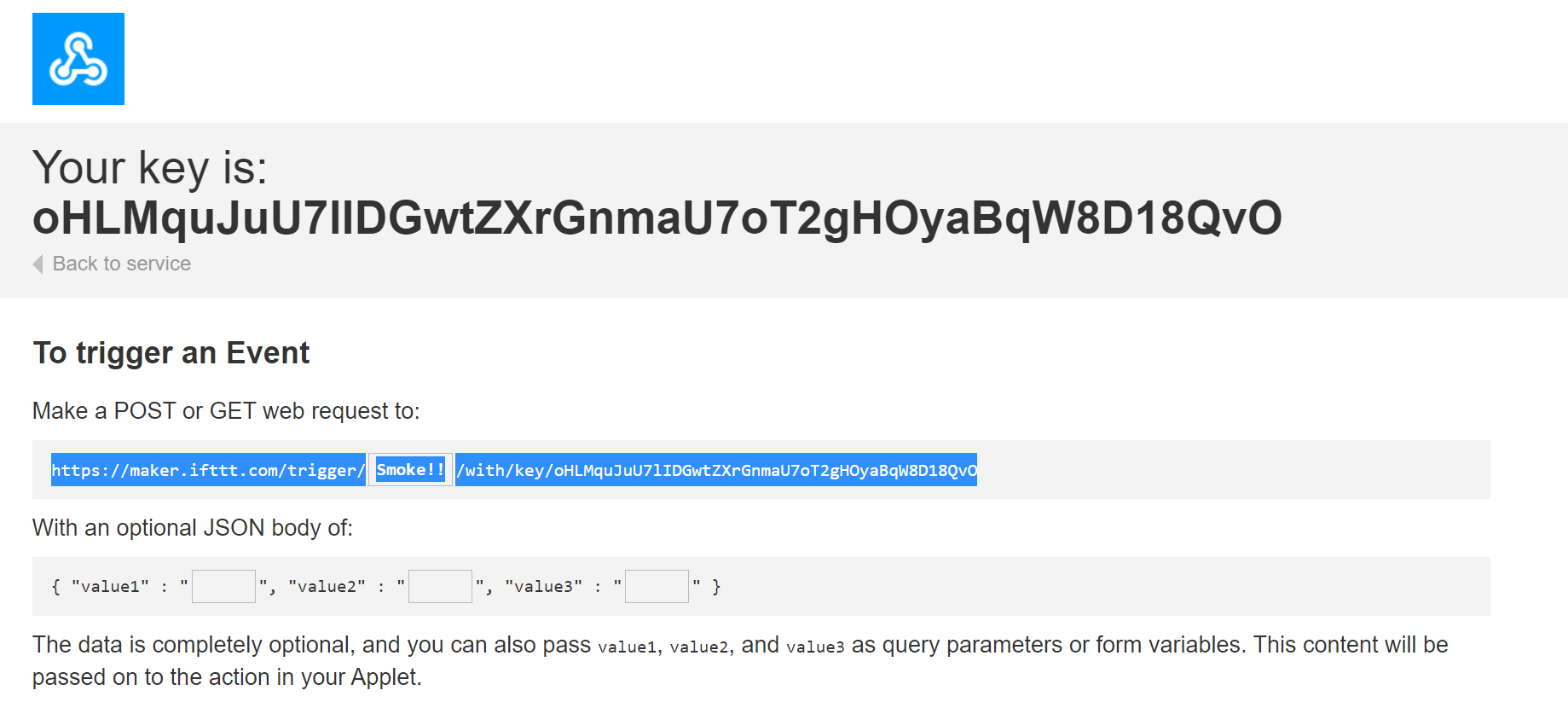 10) Now Open Thingspeak Channel. Click on Apps -> ThingHTTP -> create ThingHTTP.
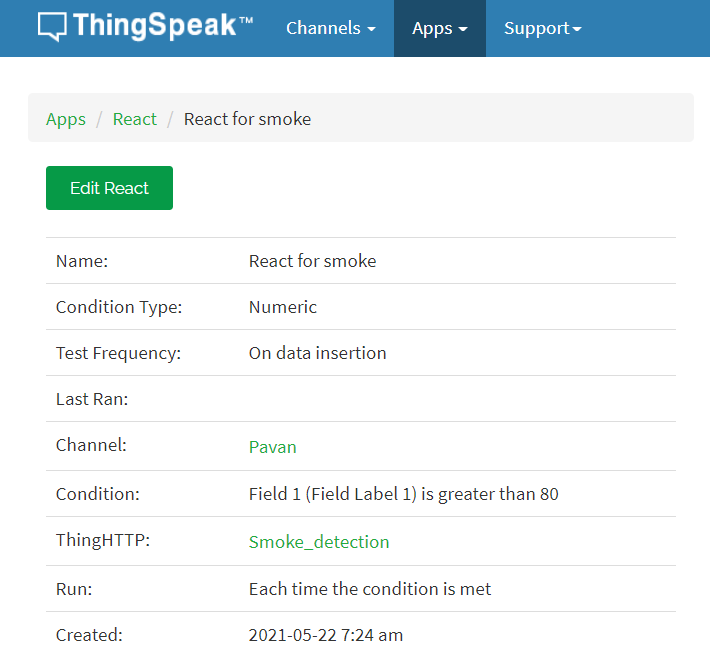
 11) Now we have to React.
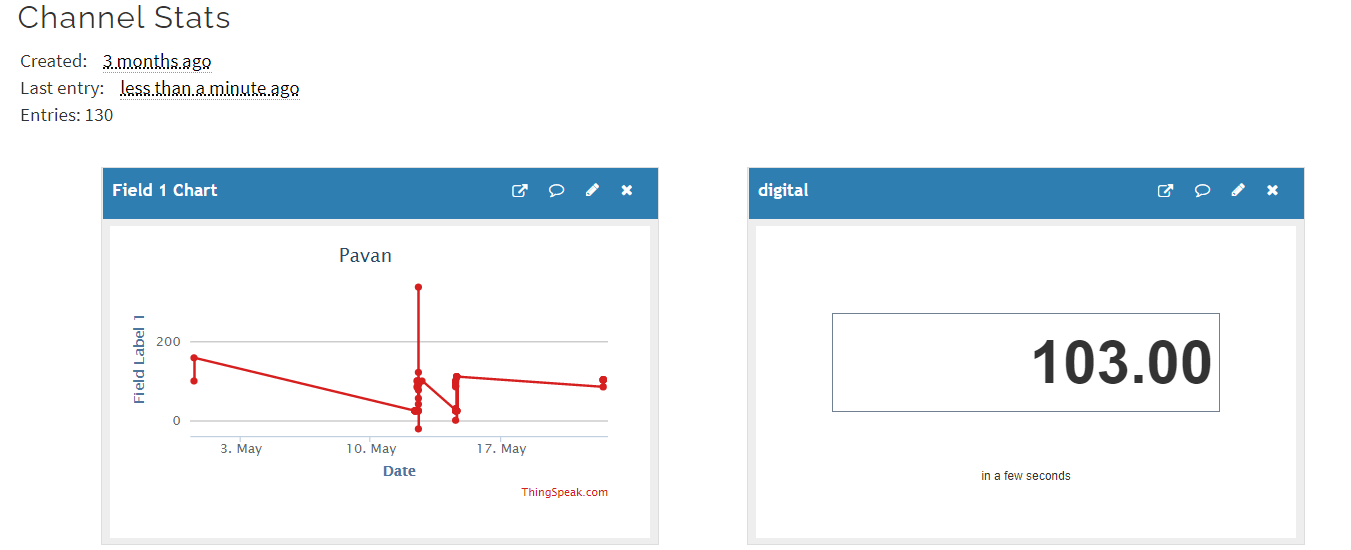
 12) Now I am going to start simulation of TinkerCad circuit. When smoke will get near to smoke sensor, piezo buzzer will start beeping. And in case value is greater than 80, an email will be sent.
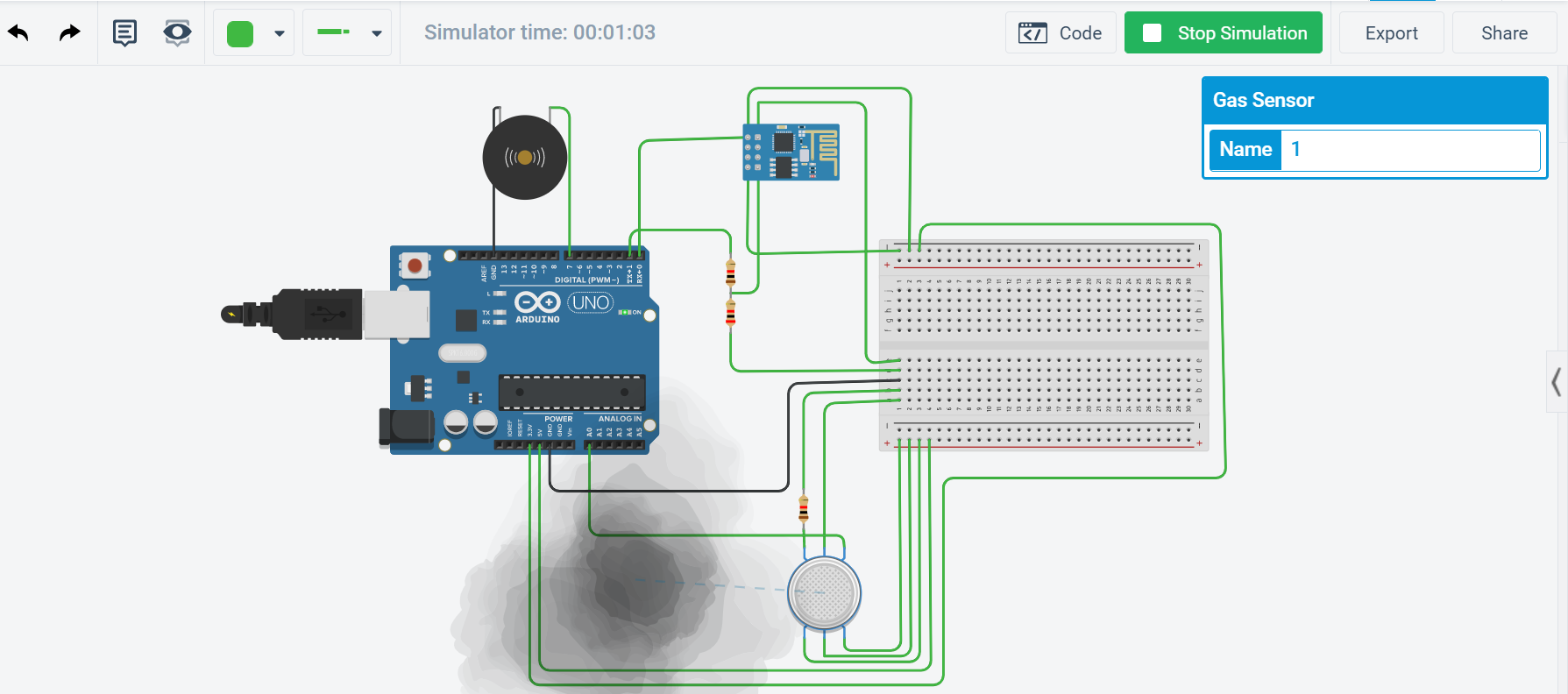 13) Now you can see that value is 103, which is greater than 80.
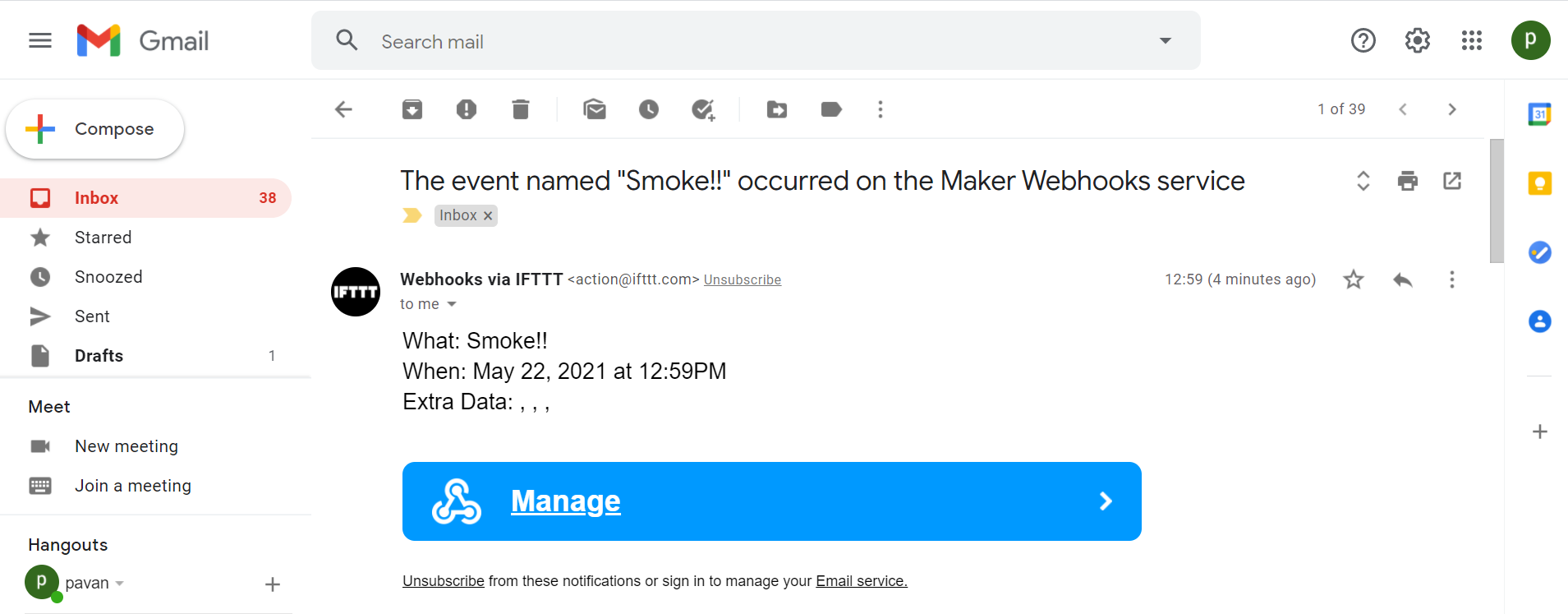
 14) Got the Email.
I hope you would like this article😊. This project is very helpful in real-time scenarios. IoT is leading the world. I demonstrated this project virtually, but you give it a try using real circuit also.


